


Church's Texas Chicken®
4.94.08K Reviews
App Specs
- Version
- 8.18.0
- Updated On
- License
- Free
- Downloads
- 1,000,000+
- Developer
- Cajun Operating Company
- Categories
- Food & Drink
- Platform
- Android, iOS
Screenshots
 Analysis by AppCompare
I judge a restaurant app less by the excitement of placing one order than by whether it remains useful after the first few visits. Church’s Texas Chicken is a focused tool for people who already know they want this particular meal: it brings menu browsing, ordering and rewards together, rather than trying to become a general food-discovery service. In my view, that focus is its clearest strength—and also the main reason it will not suit everyone.
The first-week appeal is straightforward
The opening experience is built around getting from “I want chicken” to a decision without much fuss. The menu is arranged for browsing, and ordering in the app can make sense when I already have a rough idea of what I want but would rather review the choices before reaching the counter. That is especially handy when I’m coordinating a meal for more than one person: I can look through the available items first and avoid trying to make every decision while someone is waiting on me.
Church’s Texas Chicken® is a free Food & Drink app from Cajun Operating Company. Its average rating is 4.8 from around 33,000 ratings, and it has passed 1 million installs. Those figures suggest that it has found a substantial audience among people who want a direct route to ordering from the chain, but they don’t tell me whether a particular restaurant near you supports the option you want. I’d still check the choices shown for my location before planning around a specific pickup method.
What makes it useful after the novelty fades
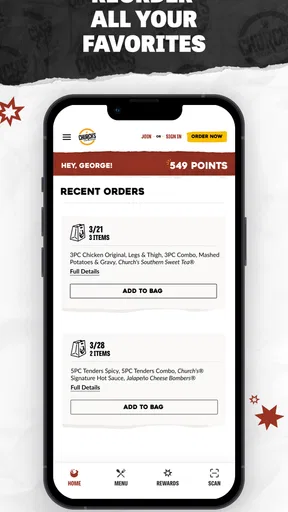
The better long-term case is less about flashy extras and more about reducing repeated effort. If I order from Church’s often enough to have a usual meal, saved favorites can make a familiar choice quicker to assemble. That convenience is most valuable when I’m ordering during a busy part of the day; it is less compelling if I only visit occasionally or prefer to choose something different each time.
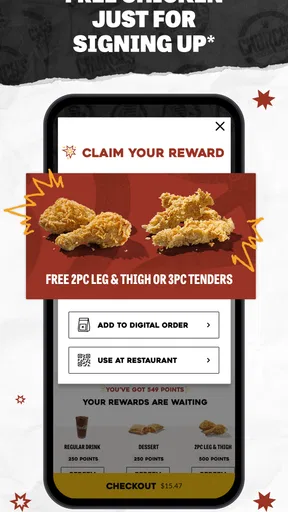
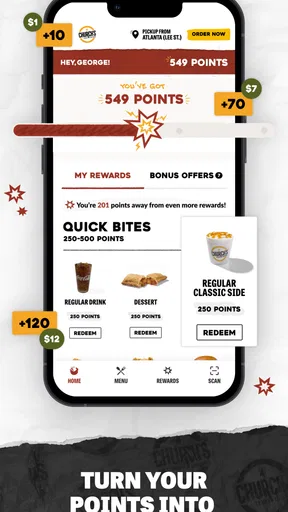
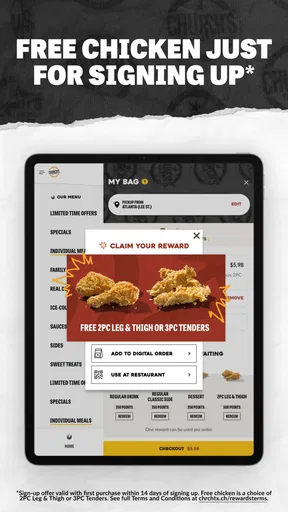
The rewards element gives regular customers another reason to use the app rather than placing every order through a different route. I would treat it as a useful extra, not a guarantee that every order will be cheaper: the practical value depends on the offers available and how often I actually return. Before checking out, I’d take a moment to review any current promotion and make sure it fits the meal I was already planning to buy. That habit is more reliable than adding food simply because an offer is visible.
For an ordinary weeknight, the app can be a planning aid rather than just a digital register. I might browse while deciding what to bring home, settle on a meal, and then choose an available collection or delivery route. If I’m feeding several people, I can use the menu to check the choices together before committing. The useful trade-off is that an app order can reduce decision-making at the restaurant, but I still need to choose a location and confirm the options it offers at that point.
Where ordering needs a little care
Customization is helpful when a small preference matters, but I would read the order summary carefully before submitting it. A menu choice and a modification are not the same thing: selecting the right item is only part of getting the meal I intend. For a group order, I’d check each person’s selections individually rather than relying on memory, then verify the final basket for missing sides or accidental duplicates. That quick review is a simple way to avoid turning convenience into a correction at pickup.
Worth Reading Before You Choose

EA SPORTS FC Mobile 26 Is a Bigger Football Game, but It Takes Time

Flipboard Shows What News Apps Must Do Beyond the Feed

Switching to Android Auto Means Rethinking Your Driving Routine

Google Calendar Makes a Crowded Week Easier to Manage

Ludo King Makes the Most of the Minutes Between Plans

Baby Panda World Brings Quick Play to Modern Phones, but Its Game Library Feels Busy
Pickup and delivery are different jobs, so I wouldn’t assume one is automatically the better choice. Pickup can suit someone already passing a participating restaurant, while delivery may be more convenient when leaving home is the problem. The right option depends on what the app makes available for the chosen location and on how much control I want over timing. If I’m in a hurry, I’d check the order details before setting off instead of treating an in-app status update as a reason to arrive at a particular minute.
Compared with a general restaurant-delivery app, Church’s own app is the more focused place to explore this chain’s menu and use its rewards. A multi-restaurant service is usually a better starting point if I’m still choosing between several kinds of food or want to compare nearby restaurants in one place. The trade-off is simple: this app narrows the decision to Church’s, which can make a familiar order easier, but it cannot replace a broader service when variety is the priority.
Maintenance, limitations and who should skip it
The maintenance burden should be modest if I only open the app when I want to order, but keeping an account and checking current offers still takes a little attention. I wouldn’t install it just to collect promotions if Church’s is not already part of my routine. Nor would I make it my only plan for a meal when a particular location or ordering method has not yet been checked; the app is most useful when its available choices match the way I intend to eat.
There is also a natural source of fatigue: a focused restaurant app can feel repetitive once the menu and ordering flow are familiar. That is not necessarily a flaw. If my goal is a known Church’s meal, familiarity is useful; if I want new restaurants, broader discovery or a single place to manage food from different businesses, the dedicated app will feel narrow. The rewards and saved-order convenience have lasting value only when I actually return often enough to use them.
The app is rated for Everyone, and its current version is 8.12.0, with Android 7.0 as the stated minimum operating-system requirement. For someone deciding whether to keep it installed, I’d weigh those practical details alongside a simple question: do I order from Church’s often enough for saved choices and rewards to save me effort? If the answer is yes, it has a sensible role on my phone. If not, browsing the menu when needed may be enough.
If you’re like me, you sometimes wake up with a serious craving for some finger-licking good chicken. That’s when I stumbled upon the Church's Texas Chicken® app, and let me tell you, it’s a game changer for chicken lovers everywhere. Let’s dive into what makes this app a must-have on your phone.
Getting Started with the App
So, you’ve decided to give the Church's Texas Chicken® app a whirl. First things first, downloading it is a breeze. Whether you’re team Android or iOS, you’ll find it easily on the Google Play Store or Apple App Store. Once installed, the setup is straightforward. You create an account, which is quick—no unnecessary hoops to jump through.
The app’s interface is as welcoming as the smell of freshly fried chicken. It’s user-friendly, with a clean layout that makes navigation intuitive. You’re greeted with mouth-watering images of their signature dishes right off the bat, setting the perfect tone for what's to come.
Exploring the Features
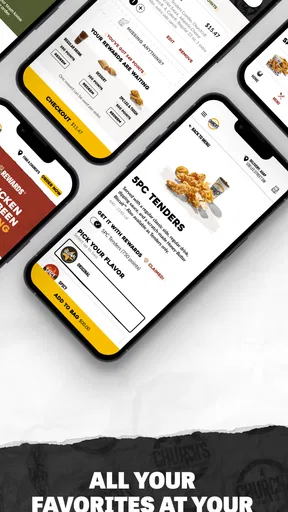
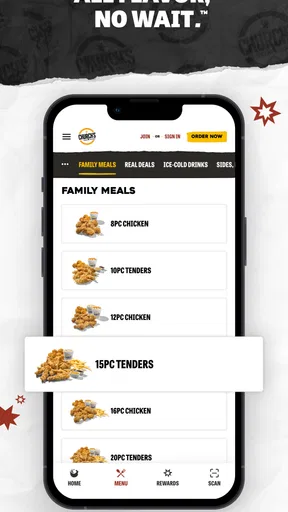
Now, let’s talk features. This app isn’t just about placing orders—it’s about enhancing your entire experience with Church's. You can check out the full menu, which is neatly categorized. From their famous fried chicken to perfectly seasoned sides and desserts, everything is laid out clearly.
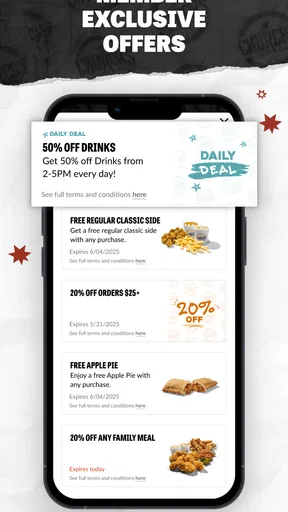
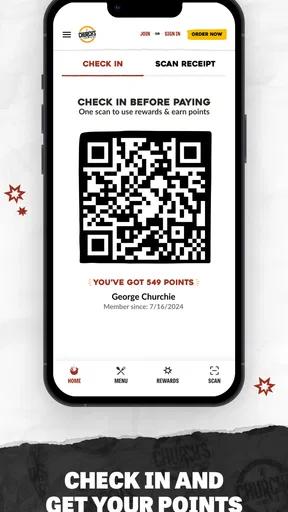
One of my favorite features is the app-exclusive deals. Who doesn’t love a good bargain, right? With the app, you get notified of special promotions and discounts, making it easy to enjoy your favorites without burning a hole in your pocket. Plus, the rewards program lets you earn points with every purchase, so there’s always an incentive to keep coming back for more.
Order and Enjoy
Ordering through the app is as easy as pie—pecan pie, to be exact. You just select your items, customize your order, and choose your preferred pickup method. Whether you want to swing by the drive-thru or opt for curbside pickup, the choice is yours. The app keeps you updated on your order status in real-time, ensuring a smooth process from start to finish.
And let’s talk about customization. If you’ve got specific preferences, like extra spicy or no pickles, the app has got you covered. It’s all about tailoring your meal to suit your taste buds.
Why It Stands Out
What sets the Church's Texas Chicken® app apart from the rest? It’s the convenience and personal touch. You can save your favorite orders for quick reordering, which is perfect for those days when you just can’t decide. The app also features location services, helping you find the nearest Church's location with just a tap.
Moreover, it’s not just functional—it’s fun. The app often features interactive promotions and contests, adding a little extra spice to your meal planning. It’s like having a mini-chicken festival in your pocket!
Final Thoughts
In conclusion, if you’re a fan of Church's, the app is a no-brainer. It’s designed to enhance your experience, offering convenience, savings, and a little fun along the way. Whether you’re planning to surprise the family with a delightful dinner or just want to satisfy a chicken craving on your own, this app has got your back.
So, go ahead, give it a try. Download the Church's Texas Chicken® app today and take your chicken experience to the next level. Your taste buds will thank you!
Pros
- User-friendly interface and easy navigation.
- Comprehensive menu with detailed item descriptions.
- Online ordering system is smooth and efficient.
- Offers exclusive deals and discounts regularly.
- Supports multiple payment options
- enhancing convenience.
Cons
- Limited customization options for orders.
- Occasional app crashes during peak hours.
- Location services sometimes inaccurate.
- Notifications can be overwhelming at times.
- Lack of customer support within the app.
FAQs for Church's Texas Chicken®
What platforms is Church's Texas Chicken® app available on?
The Church's Texas Chicken® app is available for both Android and iOS devices. You can download it from the Google Play Store for Android and the Apple App Store for iOS. Make sure your device meets the minimum operating system requirements for smooth functionality.
Can I place orders directly through the Church's Texas Chicken® app?
Yes, the Church's Texas Chicken® app allows you to place orders directly from your smartphone. You can explore the menu, customize your order, and choose pick-up or delivery options, depending on your location. This feature is designed to make your ordering experience more convenient and efficient.
Does the app offer any exclusive deals or promotions?
Absolutely! The Church's Texas Chicken® app often features exclusive deals and promotions for app users. By downloading and using the app, you can access special offers and discounts that may not be available elsewhere. Be sure to check the app regularly for the latest deals.
Is it possible to track my order through the app?
Yes, the Church's Texas Chicken® app includes an order tracking feature. Once you place your order, you can monitor its progress in real-time. This feature provides updates from the time your order is prepared until it's ready for pick-up or out for delivery, ensuring transparency and convenience.
How does the app handle payment and security?
The Church's Texas Chicken® app provides a secure payment system that accepts various payment methods, including credit and debit cards. It uses encryption to protect your financial information, ensuring that your data remains safe during transactions. Always ensure your app is updated to the latest version for optimal security features.


